Use Claude Code with Routerly: budgets, fallback and one endpoint
TL;DR: Claude Code talks to any endpoint that speaks the Anthropic API. Set
ANTHROPIC_BASE_URLto a Routerly router andANTHROPIC_AUTH_TOKENto a router token. Every request then shows up in Usage with model, tokens and cost. If the primary model fails, the next model answers. A per-token budget stops one developer or one script from spending without limit. Everything below was run on Routerly 0.6.0 with Claude Code 2.1.318. The last section lists what did not work as the docs describe.
A Claude Code gateway sits between the agent and the provider. A coding agent sends many large requests. Without a gateway you have one API key per developer, no view of who spent what, and no plan for the day the provider returns errors. A Routerly router gives Claude Code a single endpoint, a record of every call, a second model to fall back on and a spending cap per token.
Routerly does not change the request or the response. Claude Code sends the same Anthropic-format payload it would send to Anthropic, and gets the provider answer back unaltered.
What you need
- A machine with Node.js 20 or newer for Routerly.
- Claude Code installed (
claude --versionprinted2.1.318in the test). - An Anthropic API key. For the fallback in this guide, also an OpenAI API key.
Install Routerly
curl -fsSL https://www.routerly.ai/install.sh | bash -s -- --yes --scope=user --port=3942 --no-daemonThe installer downloaded v0.6.0, installed under ~/.routerly and put the routerly command in ~/.local/bin. On a slow machine the dependency install took about eight minutes. With --no-daemon the installer does not register a system service. Start the service by hand, open http://localhost:3942/dashboard/ to create the admin account, then log in from the CLI:
node ~/.routerly/app/packages/service/dist/index.js &
routerly auth login --url http://localhost:3942 --email [email protected] --password '...'
The health check is curl http://localhost:3942/health.
Add the providers and two models
A connection holds the provider API key. A model references a connection and carries its prices, which Routerly uses to compute cost.
routerly connections add --provider-id anthropic --label anthropic-main --api-key "$ANTHROPIC_API_KEY"
routerly connections add --provider-id openai --label openai-backup --api-key "$OPENAI_API_KEY"

routerly model add --id claude-haiku-4-5 --provider anthropic --connection anthropic-main \
  --input-price 1 --output-price 5
routerly model add --id gpt-5-nano --provider openai --connection openai-backup \
  --input-price 0.05 --output-price 0.4
Prices are USD per million tokens. Check them against the provider price pages before you rely on the cost column.
Create a router and a token
routerly router create --name claude-code
routerly router model add claude-code claude-haiku-4-5
routerly router model add claude-code gpt-5-nano
routerly router edit claude-code --timeout 60000
routerly router routing policy enable claude-code model-preference
Two settings matter here, and both came from failures in the test (see Troubleshooting):
--timeout 60000raises the time Routerly waits for the first token. The default is 2 seconds, which Claude Code requests exceed.model-preferencemakes Routerly use the model Claude Code names. The other models in the router become the fallbacks.
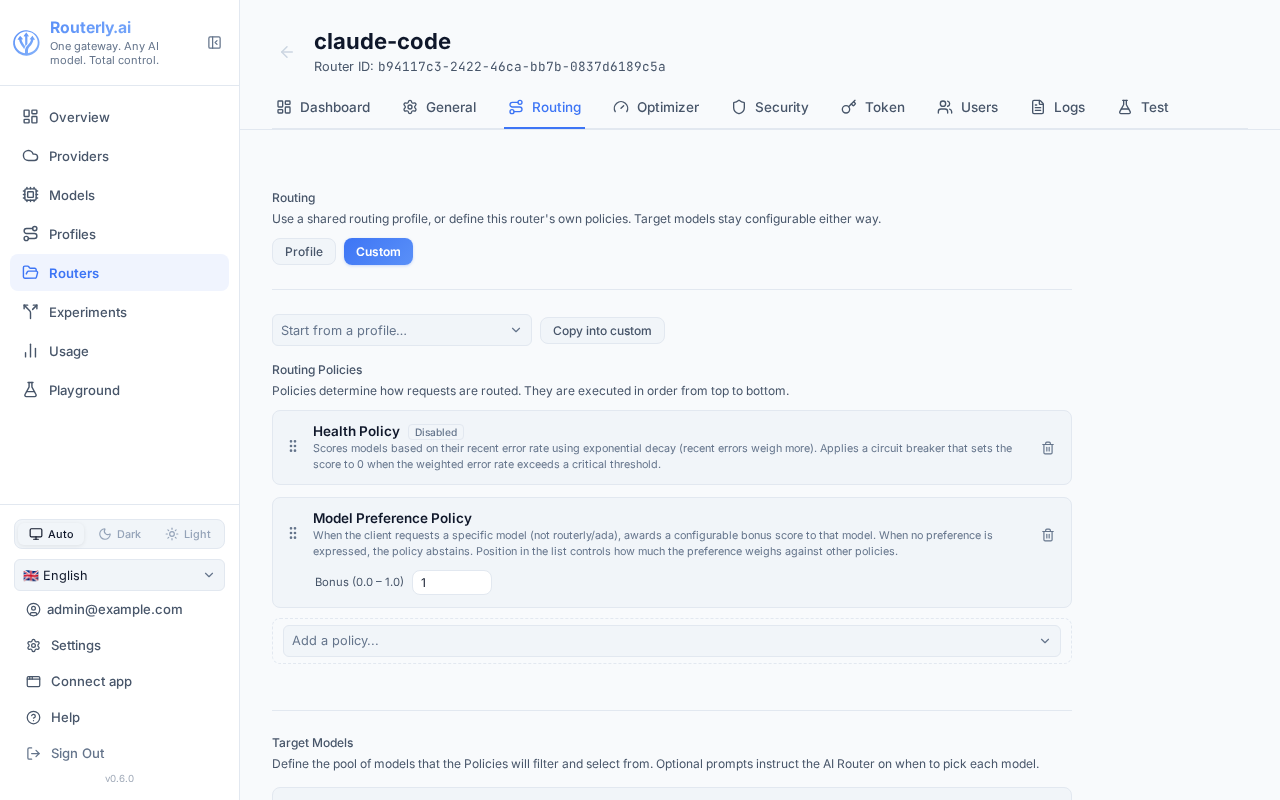
router create prints a router token that starts with sk-rt-. It is shown once, so save it. The router in the dashboard looks like this:
Point Claude Code at the router
Claude Code needs the router root, without /v1, and the token:
export ANTHROPIC_BASE_URL=http://localhost:3942
export ANTHROPIC_AUTH_TOKEN=sk-rt-...
export ANTHROPIC_MODEL=claude-haiku-4-5

claude -p "Reply with exactly: routerly-ok"
Output:
routerly-okIf you prefer not to export variables, routerly clients configure claude-code --router claude-code writes the same settings to ~/.claude/settings.json, keeps a backup and can be reverted with routerly clients undo. See the Claude Code integration page.
Check the requests in Usage
Open Usage in the dashboard, or use the CLI:
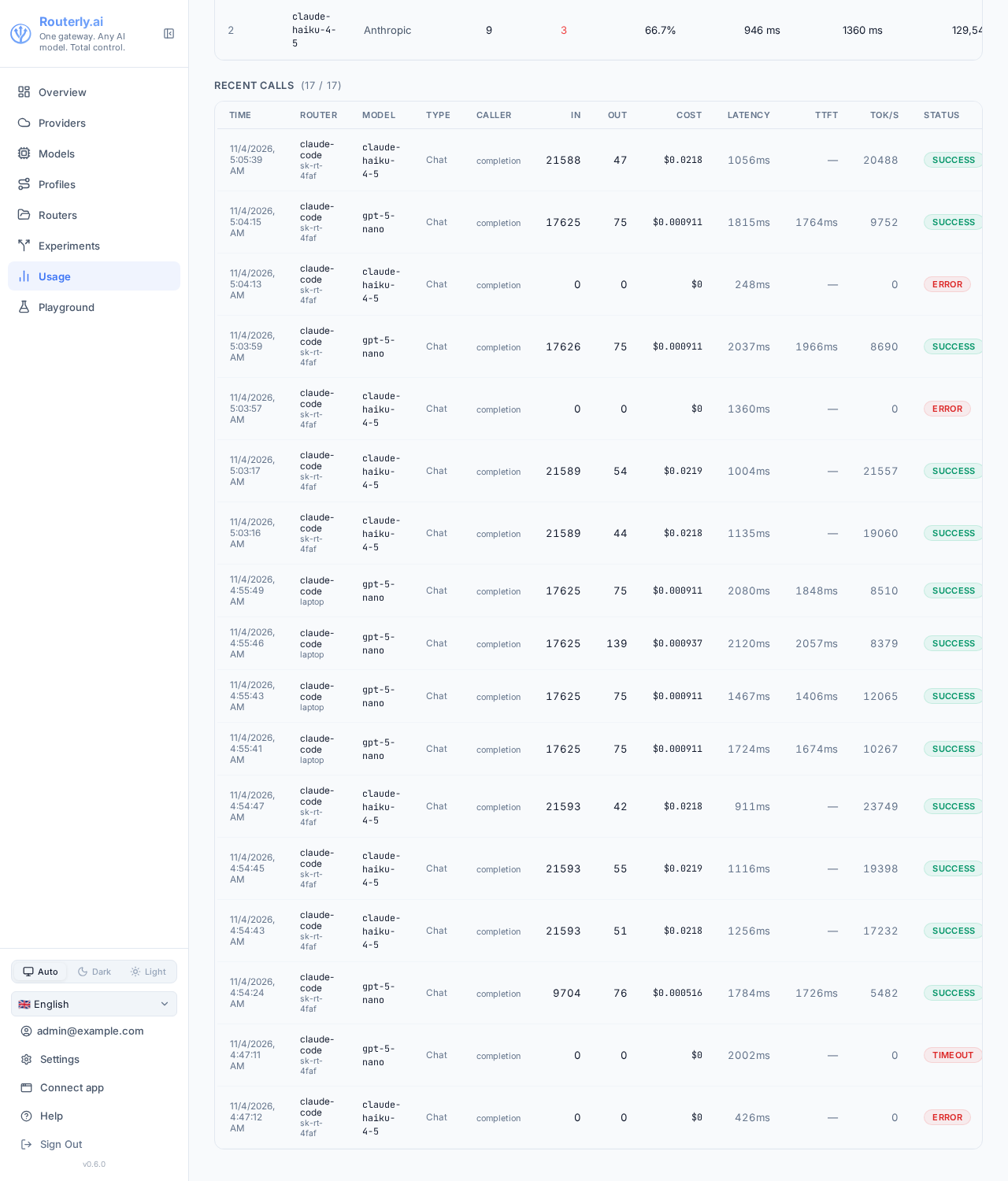
routerly report calls --limit 5Each call shows router, token, model, input and output tokens, cost, latency and outcome. In the test one short Claude Code prompt consumed 21,588 input tokens on claude-haiku-4-5 and cost $0.021823. Claude Code sends its system prompt and tool definitions on every call, so even a one-word prompt is large. This is the number a budget has to be sized against.
See the Usage dashboard reference for the filters.
Fall back to a second model
To test the fallback without waiting for a real outage, break the primary connection on purpose:
routerly connections edit 68b02e12-5c1a-44d3-8f23-a9a3217aa551 --api-key sk-ant-invalid
claude -p "Reply with exactly: fb1"
connections edit takes the connection id from routerly connections list, not the label. Claude Code printed fb1. The Usage page and the report show what happened behind it, with the failed haiku call marked ERROR:
claude-haiku-4-5  in 0      out 0   $0.000000   (rejected by the provider)
gpt-5-nano        in 17626  out 75  $0.000911   success
Routerly tried the primary, got the provider error and sent the same request to gpt-5-nano. Claude Code saw one successful answer. Restore the key afterwards.
The fallback also works with tools. With ANTHROPIC_MODEL=gpt-5-nano, claude -p "Read hello.txt and reply with its content only" --allowedTools Read returned the file content (routerly-tool-test-42) through the OpenAI model, with the Read tool call executed by Claude Code.
Claude Code printed [claude-code:unrecognized_model] in that run, because the model name is not an Anthropic one. The call still succeeded.
The routing options are described in Routing concepts and the coding agents router.
Cap spend per token
A limit on a router token applies to one model and one period:
routerly router token edit claude-code <token-id> \
  --add-limit "claude-haiku-4-5:cost:period:daily:0.70"
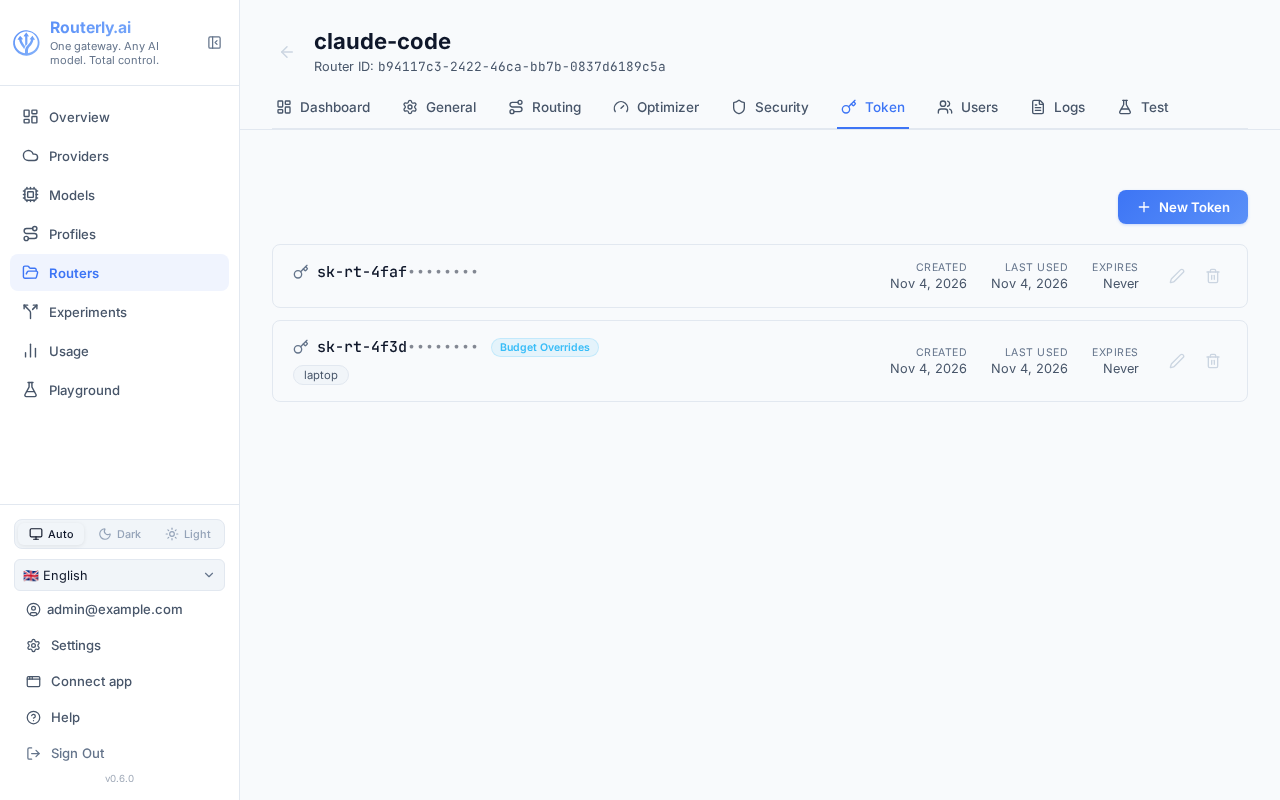
Create one token per developer or per script and give each its own cap. The format is model:metric:period:window:amount. The token list in the dashboard shows the overrides:
What the test showed:
- With a cap of $0.70 on the haiku model, four calls at about $0.0218 each ran on haiku.
- With a cap of $0.20, $0.06 or $0.05, every call went to
gpt-5-nanofrom the first request, although one call costs far less than the cap. - When every model of the router was capped, the API answered HTTP 429:
{"type":"error","error":{"type":"rate_limit_error","message":"Usage limit exceeded for every model of this router."}}In that state claude -p printed nothing and exited, because Claude Code retries on 429.
So a capped model is skipped and traffic moves to the next model, which is the behaviour you want from a budget. How much headroom Routerly requires before it sends a request to a capped model is not documented. The small caps in the test diverted traffic early, probably because Claude Code asks for a very large max_tokens. Treat the cap as a conservative ceiling and leave room above the cost you expect. The rules are in Budgets and limits and the command syntax in the CLI reference.
Troubleshooting
Claude Code hangs, then fails
The default router timeout is 2 seconds to the first token. Claude Code requests are large and exceeded it. Routerly recorded the timeouts as errors and moved on. Raise the timeout:
routerly router edit claude-code --timeout 60000Every model is excluded after a few timeouts
The health policy removes models with a high recent error rate, measured over a 20 minute window. After repeated timeouts it excluded both models of the test router, and routerly resilience reset did not clear it. Disable it with routerly router routing policy disable claude-code health, or wait for the window to pass. The test router runs without it.
Claude Code uses a model you did not expect
Routerly ignores the model name in the request unless the model-preference policy is enabled. Without policies the choice between equal models was random in the test, even though the docs describe positional scoring. Enable model-preference and set ANTHROPIC_MODEL.
A prompt returns nothing
claude -p prints nothing when the router answers 429, for example when all models are capped. Call the API directly to see the error:
curl -si http://localhost:3942/v1/messages \
  -H "x-api-key: $ANTHROPIC_AUTH_TOKEN" -H "anthropic-version: 2023-06-01" \
  -H "content-type: application/json" \
  -d '{"model":"claude-haiku-4-5","max_tokens":16,"messages":[{"role":"user","content":"ping"}]}'
The base URL
Use http://host:port with no /v1. Claude Code appends the path itself.
Known limits
- The docs state that a fully capped router answers 503
budget_exceeded. Routerly 0.6.0 answered 429rate_limit_error. - Tie-breaking without policies was random in the test, not positional.
- The
healthpolicy can exclude every model and is not cleared byresilience reset. - Small token caps diverted traffic from the capped model earlier than the cost alone explains.
- The fallback to an OpenAI model was verified for plain prompts and for one Read tool call. Other tools and long agent sessions were not tested.
- The installer asked for the
userscope explicitly. Run as root without a dedicated account, it can install into a system location, so use a dedicated user. - All numbers come from short test sessions. The cost per call depends on the Claude Code version and your project.
Sources
- Claude Code integration, consulted 2026-11-04
- Budgets and limits, consulted 2026-11-04
- Routing concepts, consulted 2026-11-04
- Coding agents router, consulted 2026-11-04
- CLI reference, consulted 2026-11-04
- Usage dashboard, consulted 2026-11-04