Run OpenAI Codex CLI through Routerly with the Responses API
Codex CLI talks to one provider. When that provider rejects your key, rate-limits you or answers too slowly, the agent stops in the middle of a task, and you have no record of what it sent or what it cost. This guide puts Routerly between Codex and the providers so that a failing model becomes a failover instead of a dead session, and every call shows up in the dashboard.
Everything below was run on Routerly 0.6.0 with Codex CLI 0.155.1, real OpenAI and Anthropic keys, and a real coding task. The output blocks are copied from those runs, with keys masked.
What you end up with
- Codex CLI keeps using the Responses API (
wire_api = "responses"). Routerly accepts it on/v1/responsesand forwards it to the model your router picks. - A router with two models from two providers. If the first one fails, the second one answers the same request.
- Every call listed in Usage with router, model, tokens, latency, outcome and cost.
- A Codex configuration you can undo with one command.
Prerequisites
- Routerly 0.6.0 running, with a logged-in CLI. See the installation guide and the CLI reference.
- Codex CLI installed (
npm i -g @openai/codex). - An API key for at least two providers. The example uses OpenAI and Anthropic.
Step 1: create a router with two models
Add the models, create the router and attach both models. The router timeout is set to 30 seconds here, and the reason is in the troubleshooting section below.
routerly model add --id gpt-5-mini --provider openai --api-key "$OPENAI_API_KEY"
routerly model add --id claude-haiku-4-5 --provider anthropic --api-key "$ANTHROPIC_API_KEY"

routerly router create --name codex-demo --timeout 30000
routerly router model add codex-demo gpt-5-mini
routerly router model add codex-demo claude-haiku-4-5

routerly router routing policy enable codex-demo model-preference
routerly router routing policy enable codex-demo health
model-preference makes a model named by the client win, which is how -m gpt-5-mini in Codex selects its first choice. health drops a model that is currently failing, and the ranked survivors are the fallbacks. The routing concepts page lists the other policies, and the coding-agents router guide shows a larger setup with four models, price caps and one token per client.
Set the prices of your models if you want a cost column in Usage. Without them, Routerly records tokens but shows cost as - or $0. Take the numbers from your provider’s pricing page:
routerly model edit gpt-5-mini --input-price 0.25 --output-price 2.00
routerly model edit claude-haiku-4-5 --input-price 1.00 --output-price 5.00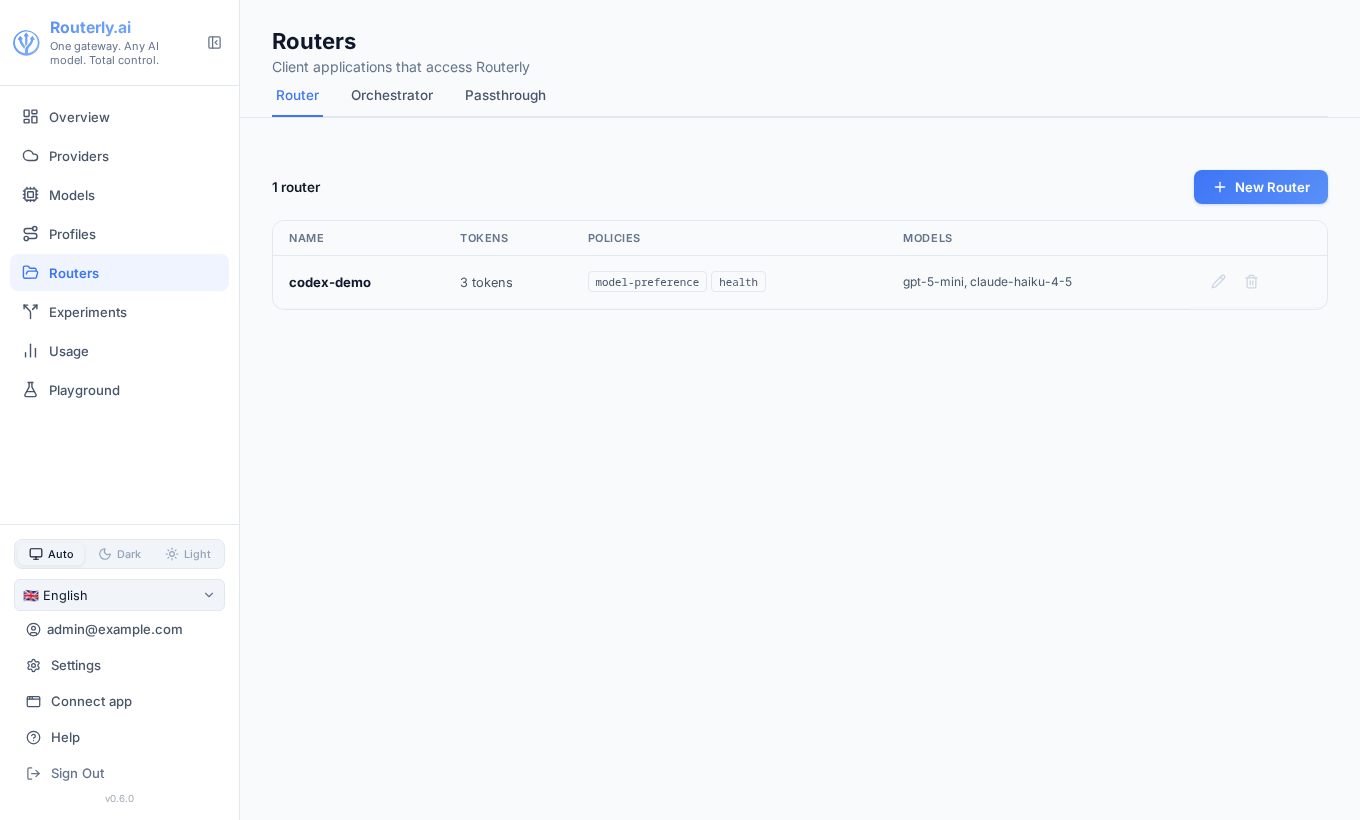
Step 2: configure Codex
Let the CLI write the Codex configuration. It mints a router token, backs up your existing file and leaves other providers in it untouched:
routerly clients configure codex --router codex-demo --yes✓ Codex configured (~/.codex/config.toml).
Backup ID: dd832606-10e8-4cf4-bd41-728bbeffeb03 (undo with `routerly clients undo dd832606-10e8-4cf4-bd41-728bbeffeb03`)
✓ Routerly service reachable at http://localhost:3543The resulting ~/.codex/config.toml is the block you would write by hand:
model_provider = "routerly"

[model_providers.routerly]
name = "Routerly"
base_url = "http://localhost:3543/v1"
wire_api = "responses"
experimental_bearer_token = "sk-rt-***"
base_url must end in /v1 and point at your Routerly port (3000 by default). The token is a router token starting with sk-rt-. The Codex client page documents the same block, the manual setup and clients undo.
Step 3: check the path before running an agent
Send one Responses API request with the router token. This isolates Routerly and the provider from Codex itself:
curl -s http://localhost:3543/v1/responses \
  -H "Authorization: Bearer $ROUTER_TOKEN" \
  -H "Content-Type: application/json" \
  -d '{"model":"gpt-5-mini","input":"Reply with the single word: ready"}'
A completed response with the text ready means the router, the key and the provider work. Then run Codex:
codex exec --skip-git-repo-check -m gpt-5-mini "Reply with the single word: ready"provider: routerly
model: gpt-5-mini
...
codex
readyPass -m explicitly. The model name is sent to Routerly, which matches it against the models of the router. Runs without -m did not complete cleanly in these tests.
Step 4: let Codex fix a real bug
The demo project has a slugify function that drops spaces instead of turning them into dashes, so its test fails. Codex gets this task:
codex exec --skip-git-repo-check --sandbox workspace-write -m gpt-5-mini \
  "Run the tests, fix src/slugify.js so they pass, and commit the fix." < /dev/null
Codex ran npm test, read the function, wrote a corrected version, ran the tests again and they passed:
export function slugify(input) {
  return input
    .toLowerCase()
    .replace(/\s+/g, '-')
    .replace(/[^a-z0-9-]/g, '')
    .replace(/-+/g, '-')
    .replace(/^-+|-+$/g, '');
}
The commit did not go through. That is the first known limit, and it has a fix.
Sandbox and local commits
With --sandbox workspace-write, Codex can edit the project files but .git is read-only. The commit step failed with:
fatal: Unable to create '/home/dev/proj/.git/index.lock': Read-only file systemThis comes from the Codex sandbox, not from Routerly: the request reached Routerly and the model answered correctly, then the local git commit was blocked on the machine. The Codex sandboxing documentation describes workspace-write and the writable_roots setting but does not mention .git, so treat the read-only .git as observed behavior for the version tested.
Add the repository’s .git directory as a writable root for that run:
codex exec --skip-git-repo-check --sandbox workspace-write \
  -c 'sandbox_workspace_write.writable_roots=["/path/to/project/.git"]' \
  -m gpt-5-mini "Add a test for slugify and commit it with message 'test: cover slugify punctuation'." < /dev/null
[master 76b7b80] test: cover slugify punctuationThe same setting can live in config.toml if you want it for every run. It widens what the agent may write, so use it only on projects where you accept that.
Step 5: see the calls in Usage
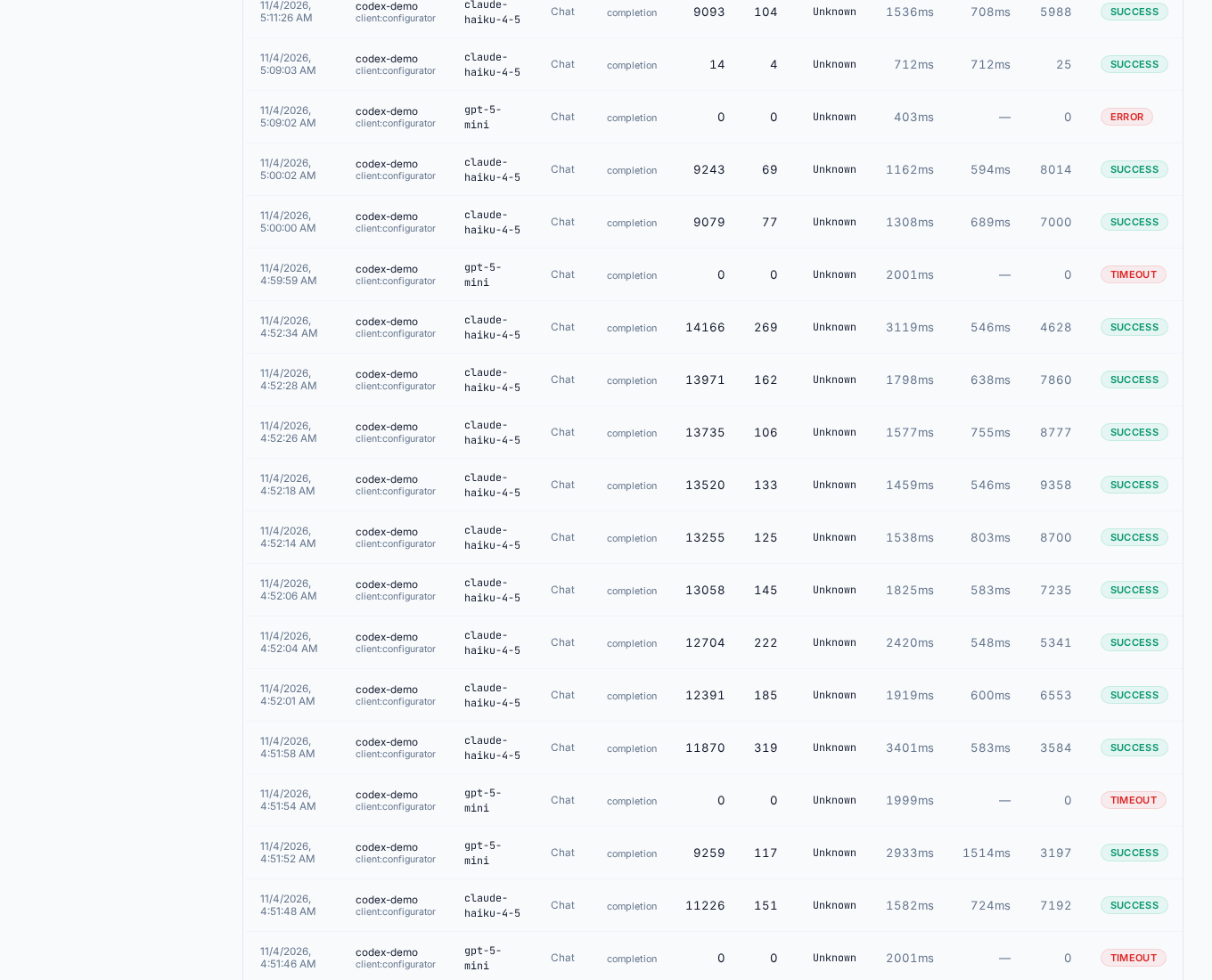
Open the dashboard at /dashboard/usage, or run routerly report calls --limit 20. Each Codex step is one row: router, token, model, input and output tokens, latency, and outcome. The Usage page documentation explains the filters and columns.
Once prices are set, the cost column fills in. In the first run, a single Codex coding task produced more than 20 calls, each with 8,000 to 14,000 input tokens, because the agent resends its context at every step. Cost per call was about one cent on the Anthropic model at the prices configured above.
Step 6: fail over when a provider breaks
To simulate an outage, replace the OpenAI key with an invalid one and send the same request:
routerly model edit gpt-5-mini --api-key sk-invalid-demo-key
curl -s http://localhost:3543/v1/responses \
  -H "Authorization: Bearer $ROUTER_TOKEN" \
  -H "Content-Type: application/json" \
  -d '{"model":"gpt-5-mini","input":"Reply with the single word: ready"}'
The response came back completed with the text ready, and the model field in the response named claude-haiku-4-5-20251001. The client asked for gpt-5-mini; the router served the request from the second provider. Usage shows both attempts, the gpt-5-mini call with outcome error and the claude-haiku-4-5 call with success:
routerly resilience status shows what the router now knows about the failing provider:
│ provider │ openai │ half-open │ auth │ 1 │ 11/4/2026, 5:09:02 AM │ - │ - │While the provider is not healthy, the health policy drops its model, so later requests, including the next Codex runs, went straight to the second model in our tests. Restore the real key with routerly model edit gpt-5-mini --api-key "$OPENAI_API_KEY".
Codex needs no change for any of this: it keeps sending Responses API requests to the same base_url.
Troubleshooting
Every request is answered by the second model
The router timeout is a time-to-first-token limit per model attempt, and the default is 2000 ms. A reasoning model such as gpt-5-mini often needs longer before the first token. In the first run of this guide, Usage showed many gpt-5-mini rows with outcome timeout at 2001 ms, each followed by a success on the second model. Raise the limit:
routerly router edit codex-demo --timeout 30000A value of 0 disables the limit.
400 error mentioning parallel_tool_calls
Codex sends parallel_tool_calls: false on its Responses requests. Older Routerly builds rejected that field on /v1/responses with a 400 when the request had no tools. The 0.6.0 changelog lists the fix, and Codex ran on 0.6.0 without this error. If you see it, update Routerly.
Read-only file system on .git
See the sandbox section above. Add .git to writable_roots, or run the commit yourself outside the sandbox.
approval policy is Never; reject command
codex exec runs non-interactively. If a command needs more permissions than the sandbox gives, Codex rejects it instead of asking. Choose a sandbox mode that covers the task, or set the approval policy with the flags described in the sandboxing documentation.
Warnings about bubblewrap and model metadata
Codex printed Codex could not find bubblewrap on PATH and Model metadata for gpt-5-mini not found. Both are warnings from Codex, and the runs completed. The first asks you to install bubblewrap with your package manager. The second appears for model names that Codex does not have in its own catalog.
Codex hangs with no output
Run codex exec with < /dev/null. Without it, the command waited for standard input in our tests.
Return to the previous configuration
routerly clients undo dd832606-10e8-4cf4-bd41-728bbeffeb03Use the backup ID printed by clients configure.
Known limits
- The runs were made on a shared, heavily loaded machine, so this article reports no timings.
- Codex CLI changes quickly. Flags, warnings and sandbox behavior are those of version 0.155.1.
- The failover test used an invalid key. Other failures, such as rate limits or 5xx errors, are handled by the same resilience layer, but this guide did not reproduce them.
- A Codex task is a loop of many requests. Check the prices and the number of calls in Usage before running long tasks on expensive models.
Sources
- Codex sandboxing, consulted 2026-11-04: learn.chatgpt.com/docs/sandboxing
- Routerly 0.6.0 documentation: github.com/Inebrio/Routerly/tree/v0.6.0/docs